Repository Universe
A spatial commit map for seeing branch motion, merge points, and repository shape without flattening everything into one line.
Release candidate 0.1.0-rc.8 for Windows, macOS, and Linux
Gitify is a local-first desktop Git client for staging, reviewing, branching, and understanding repository history through Classic, River, Metro, and Universe views.
Graphical history
Some days you need a dense commit list. Other days you need to see branch movement, ancestry, or where a merge returned. Gitify now gives you multiple lenses over the same repository data.
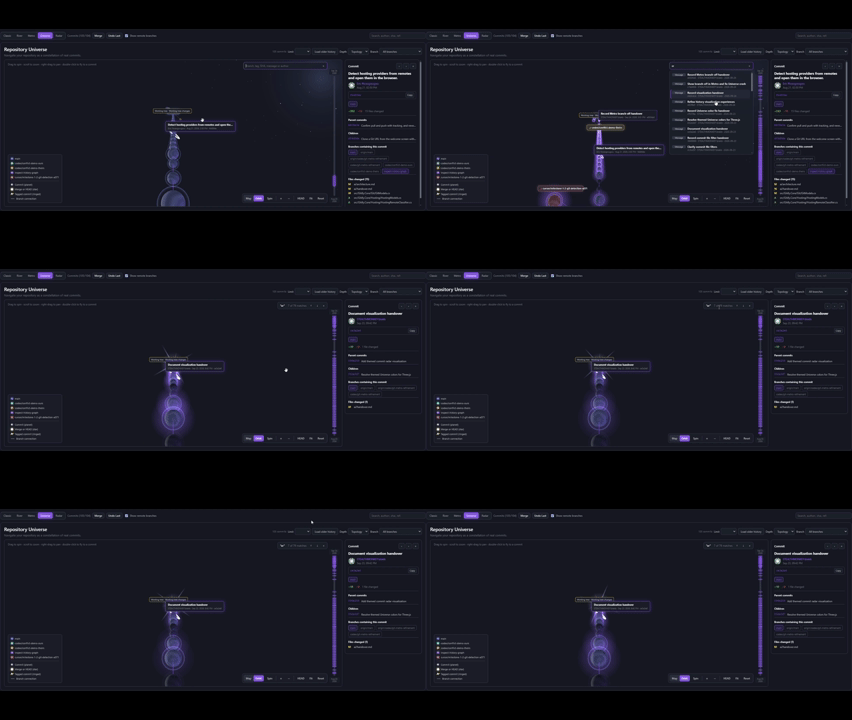
A spatial commit map for seeing branch motion, merge points, and repository shape without flattening everything into one line.
A lane-based history view with branch filters, chronology controls, and working-tree visibility connected to HEAD.
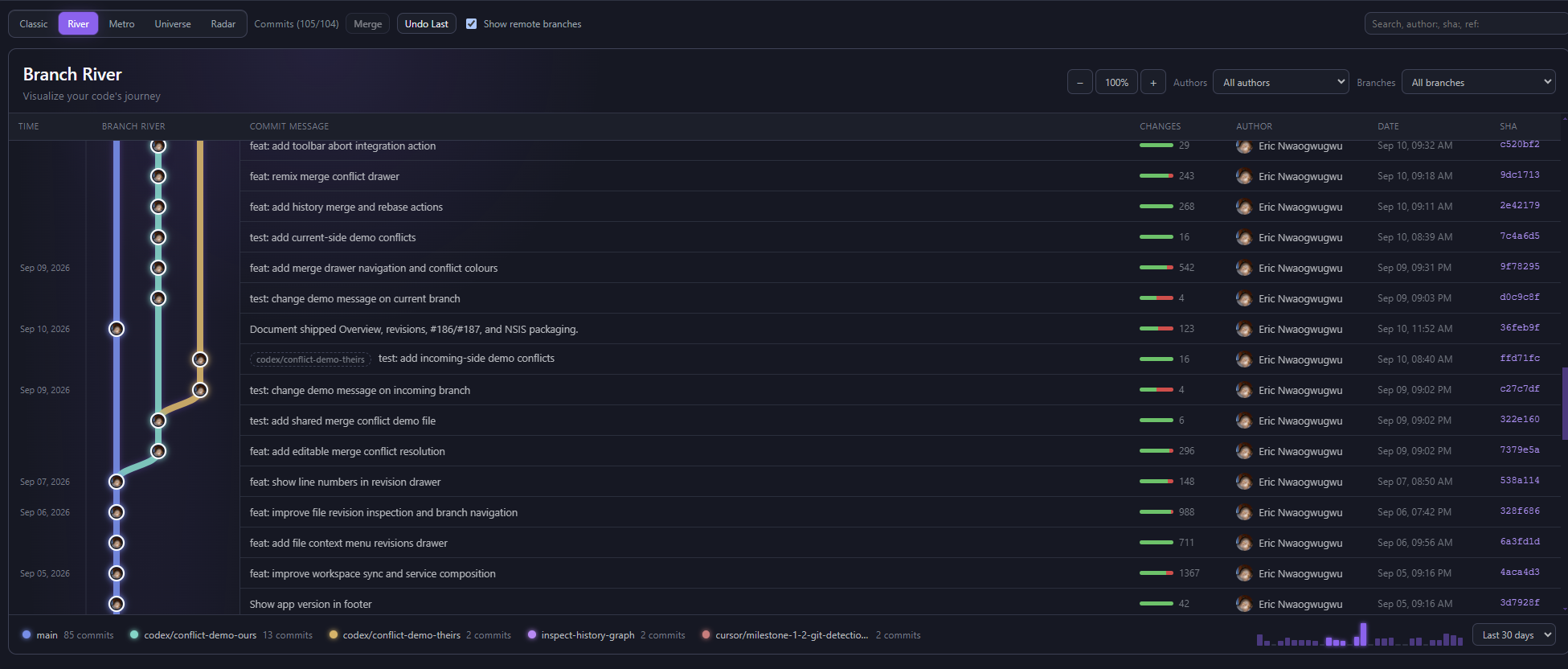
A vertical branch journey that uses thicker ribbons and contributor avatars to make starts, merges, and commit ownership easier to read.
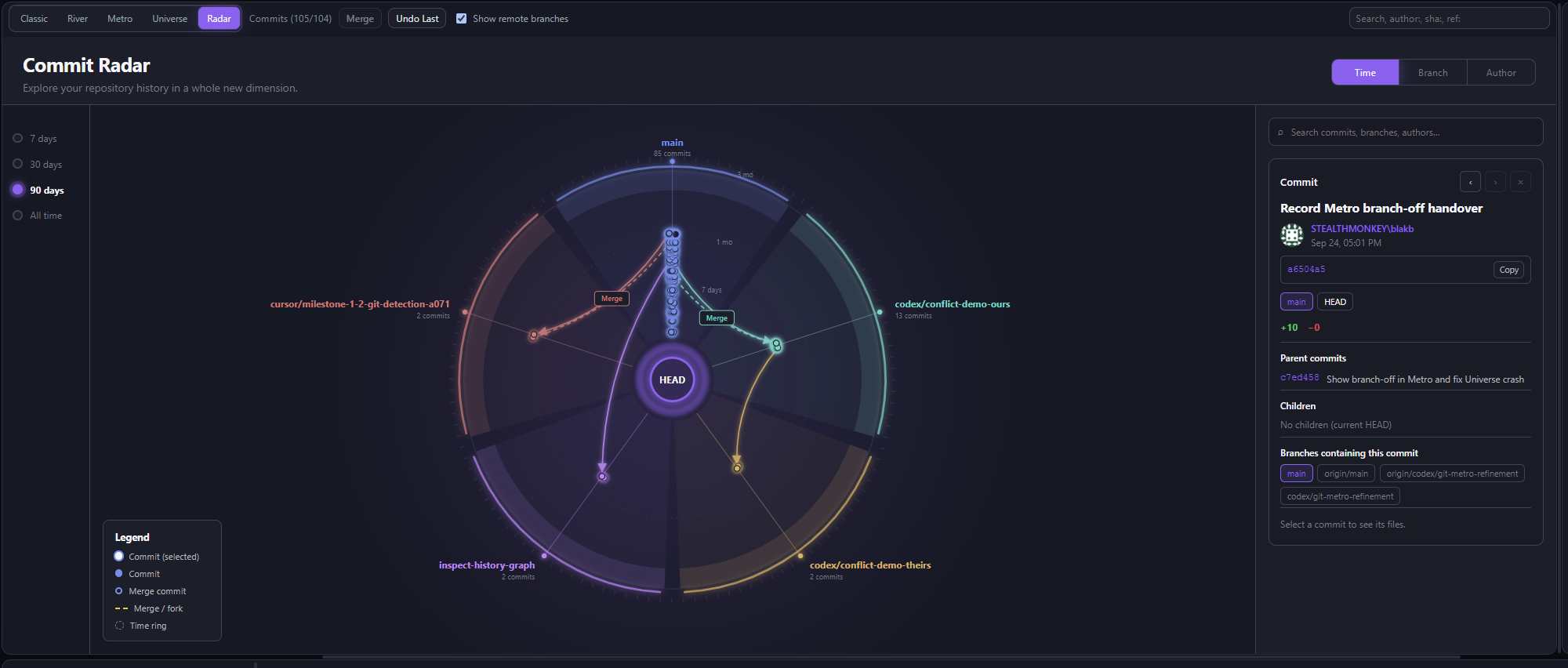
A radial view for spotting branch activity, merge paths, and the commit currently under inspection at a glance.
Branch River
An ancestry-first view for reading starts, merges, contributors, and the shape of a branch over time.
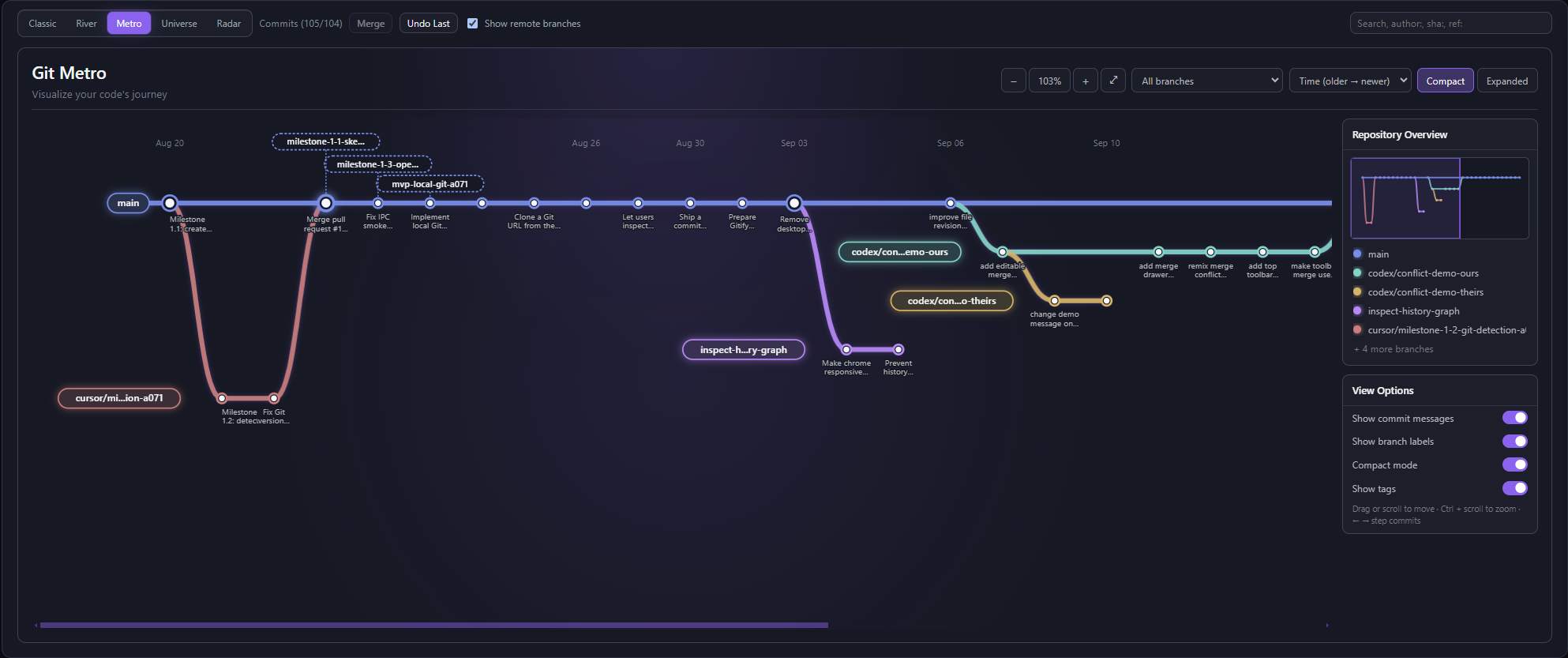
Git Metro
Metro keeps the commit journey flat when that is the useful view: filtered branches, time direction, compact spacing, and a minimap.
Commit Radar
The radial view makes branch activity, merges, and the selected commit easy to scan without losing the surrounding context.
Repository Universe
The animated Universe view brings repository history to life so the relationship between branches and commits is easy to explore.
Daily workflow
Scan saved repositories, work in progress, sync drift, stashes, tags, and connected accounts before opening a repo.
Stage files, inspect unified or split diffs, review hunks, and keep the selected commit or working tree in context.
Bring GitHub pull requests, issues, actions, accounts, and Azure DevOps sign-in beside the local Git workflow.
Open, commit, branch, stash, merge, rebase, pull, and push with local Git even when no hosting account is connected.
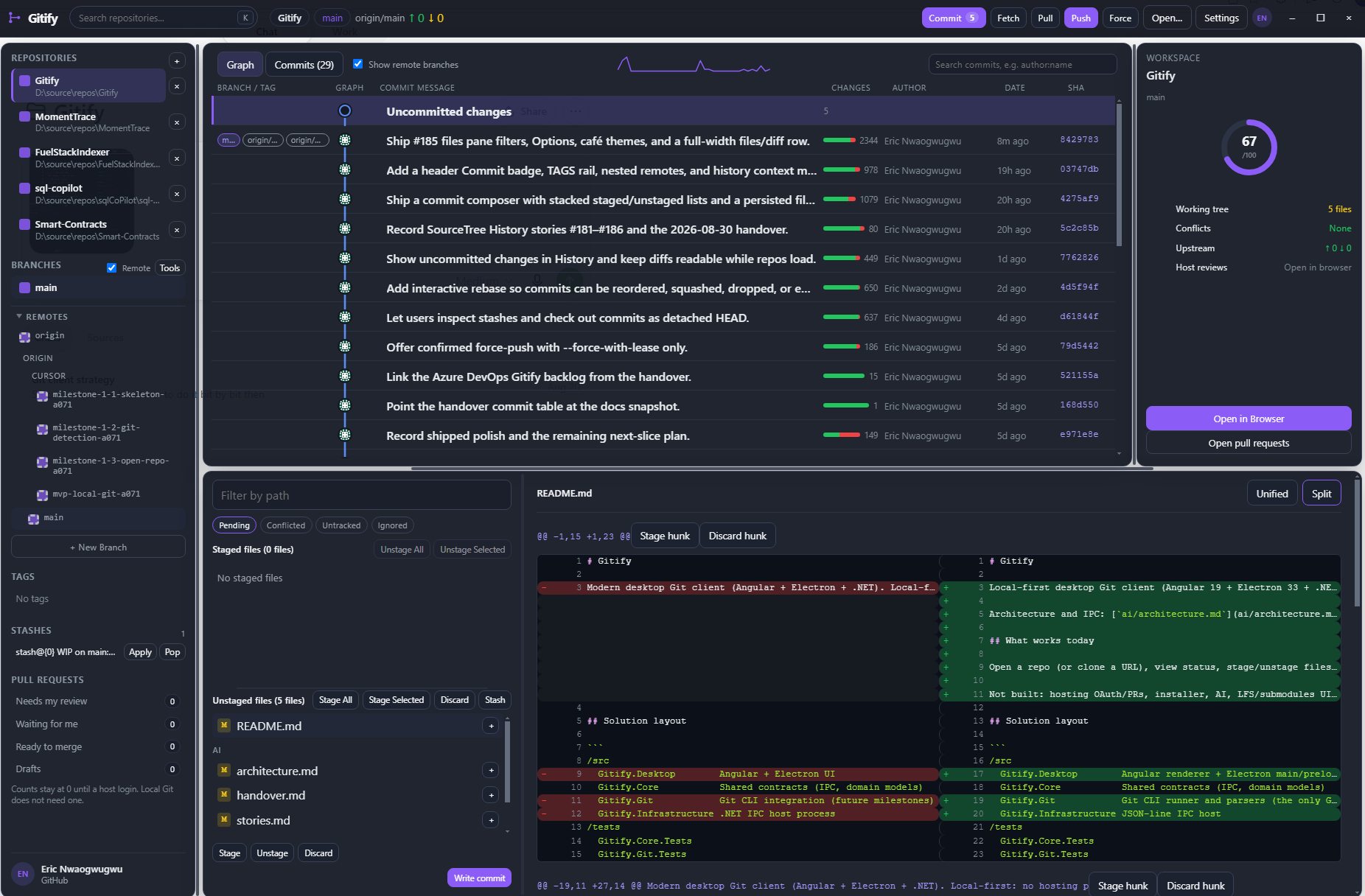
When you want the familiar view, Classic keeps commits, branches, changes, authors, and the working tree in one readable workspace.
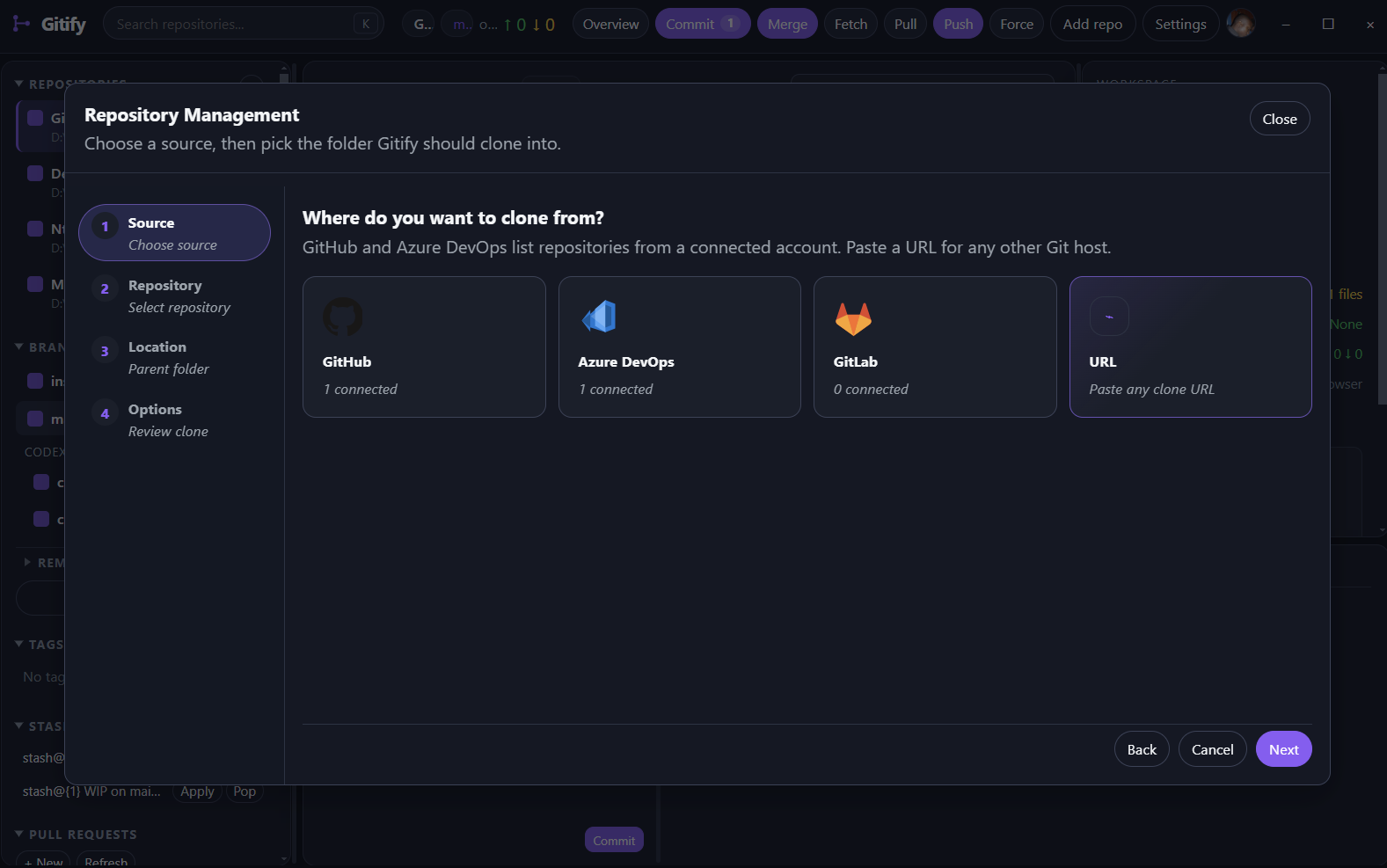
Choose GitHub, Azure DevOps, GitLab, or a clone URL from the Repository Management flow, then bring hosted context into the local-first workflow.
What is covered
Gitify is not trying to hide Git. It gives the commands and state you already trust a calmer desktop surface.
Classic, River, Metro, and Universe views share the same Git data while keeping parent relationships and selection behaviour intact.
Pending, conflicted, untracked, and ignored filters with unified or split diffs, syntax colour, hunk actions, and file revision inspection.
Checkout, create, merge, rebase, interactive rebase stops, remote visibility, stashes, tags, and ahead/behind status.
Open local repositories, browse recents, clone from URL, or choose repositories from connected GitHub, Azure DevOps, and GitLab accounts.
A multi-repository command deck for finding the repos that need attention before you dive into code.
Release candidate
The latest branch has the graphical history work pushed, tested, and documented. The app remains local-first and provider sign-in stays optional for core Git work. Windows, macOS, and Linux builds are available for this release candidate.
Get Gitify rc.8Repository Universe, Git Metro, and Branch River are active in the desktop app
Metro working-tree placement and River ancestry connectors are covered by tests
Desktop tests, Windows packaging, and installer smoke tests pass
Local Git remains usable without signing in to a hosting provider
Windows, macOS, and Linux builds are available